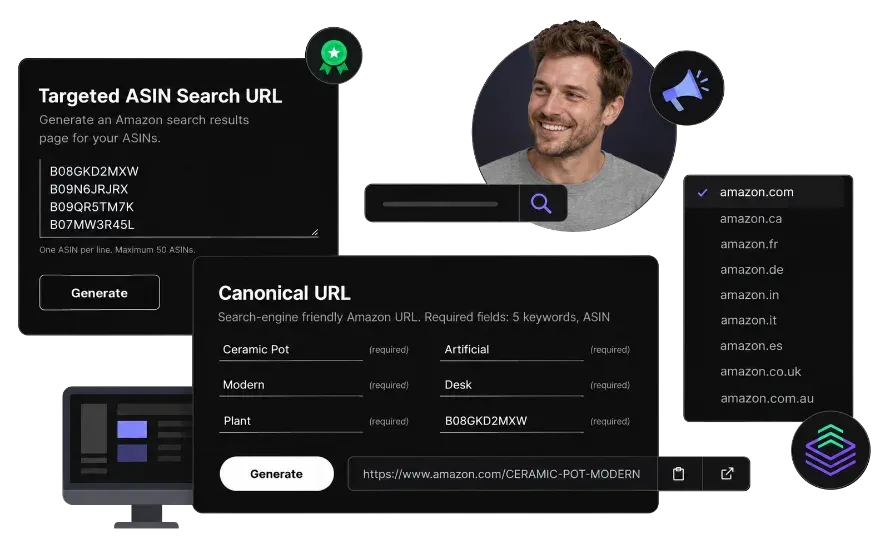
Amazon product links have three parts: the marketplace domain, a slug made of words, and /dp/ followed by the ASIN. Amazon reads only the ASIN, which is why the same product opens from any slug.
Use the slug for your own words. A link that reads cold-brew-coffee-maker-glass tells a shopper what they are clicking in an email or a post, and it still opens your listing. It does not change where you rank on Amazon or in Google, which fold it back into Amazon's own page.
Amazon's cart form accepts an ASIN and a quantity in the address and opens a confirmation page with the item filled in. The shopper confirms once and skips the listing entirely.
Use it where the buyer has already decided: a reorder email, a promo page, a QR code on packaging. Shoppers who are not signed in to Amazon are asked to sign in before the confirmation page.
The same cart form takes up to four ASINs, each with its own quantity, and lists them on one confirmation page. One link, one click, several products in the cart.
It suits bundles you sell as separate ASINs and cross-sells you promote off Amazon. It does not affect Amazon's own bought-together suggestions; those come from what shoppers actually buy.
Amazon search accepts a list of ASINs separated by a pipe character and returns a results page for them. This tool builds that search for up to 50 ASINs.
Share it to show a curated set: a seasonal range, a set of variations, or a comparison for a customer. Because the search is by ASIN and not by keyword, it plays no part in keyword ranking.
Amazon search takes a brand filter in the address, the same one the Brand checkbox in the left rail writes, so a link can open your keywords already narrowed to one brand. Sellers call this a 2-step URL: the shopper arrives on a search, then clicks through to the product.
The brand name must match Amazon's spelling and capitals exactly, as shown in the Brand filter, or the filter will not match.
Amazon search also takes a seller filter, which limits the results to one storefront. Use it when several sellers list the same items and you want shoppers to land on yours.
Your seller ID is in your storefront address after me=; paste the whole link if that is easier.
Walmart search takes a brand filter in the address, so a link can open your keywords already narrowed to one brand. Shoppers see the brand's matching products and nothing else.
The brand name must match Walmart's spelling and capitals exactly, or the filter returns nothing. Copy it from the Brand filter on a walmart.com search rather than typing it.
Walmart search also takes a seller filter, which narrows the results to items sold by one store. Use it when several sellers list the same items and you want shoppers to see yours.
As with the brand filter, the store name must match Walmart's spelling and capitals exactly; copy it from the seller's page on walmart.com.